What was automated? Looking up next train times.
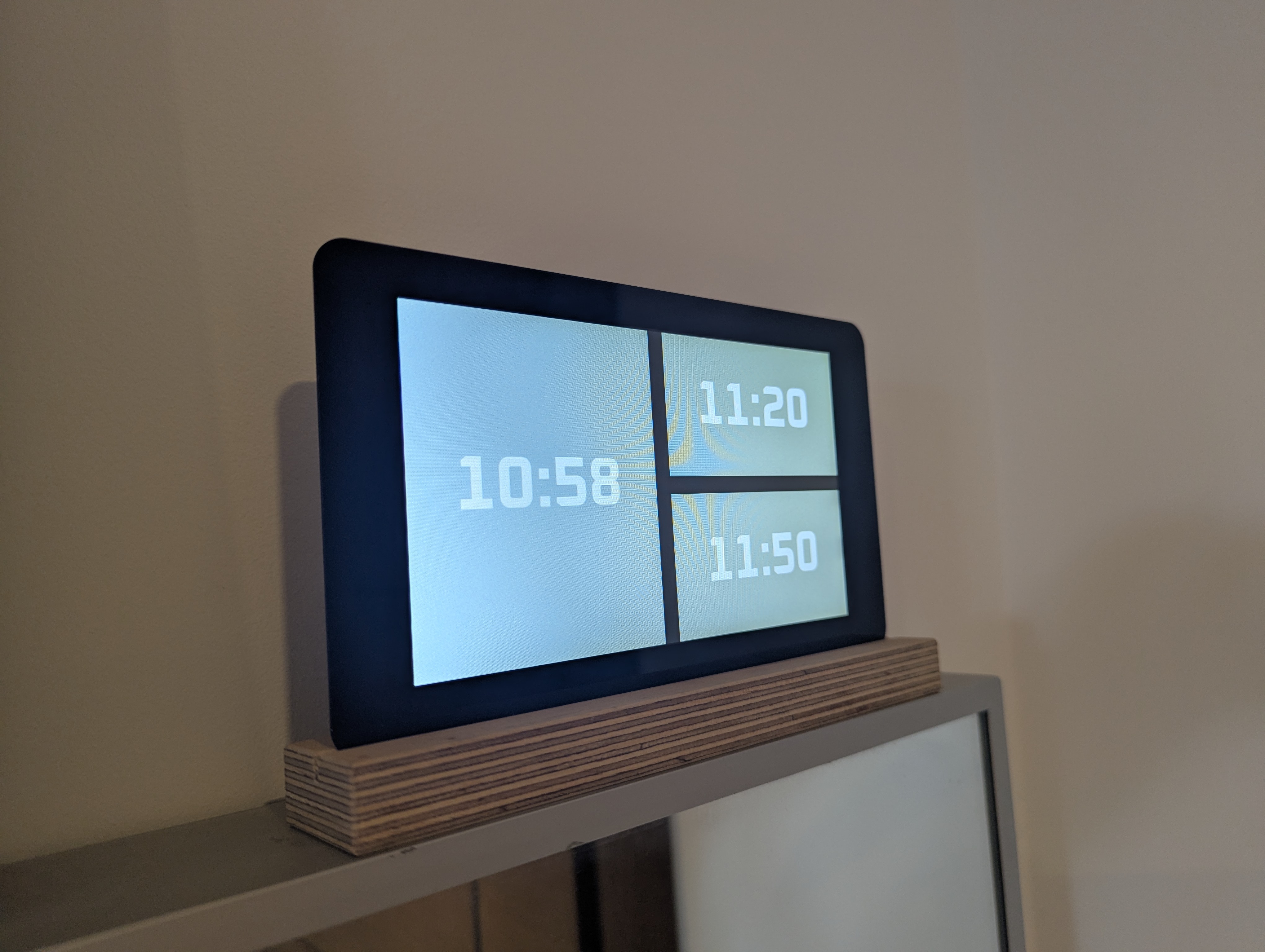
How? Inspired by this train departure display, a display showing the times of the next two departing trains from the nearest station, along with the current time, was created and placed next to the front door for easy viewing.
In contrast to the original display, a more minimal approach was taken: only three values are displayed (pictured), and the relative size of each panel differentiates the current time (left) from the two departure times (right).
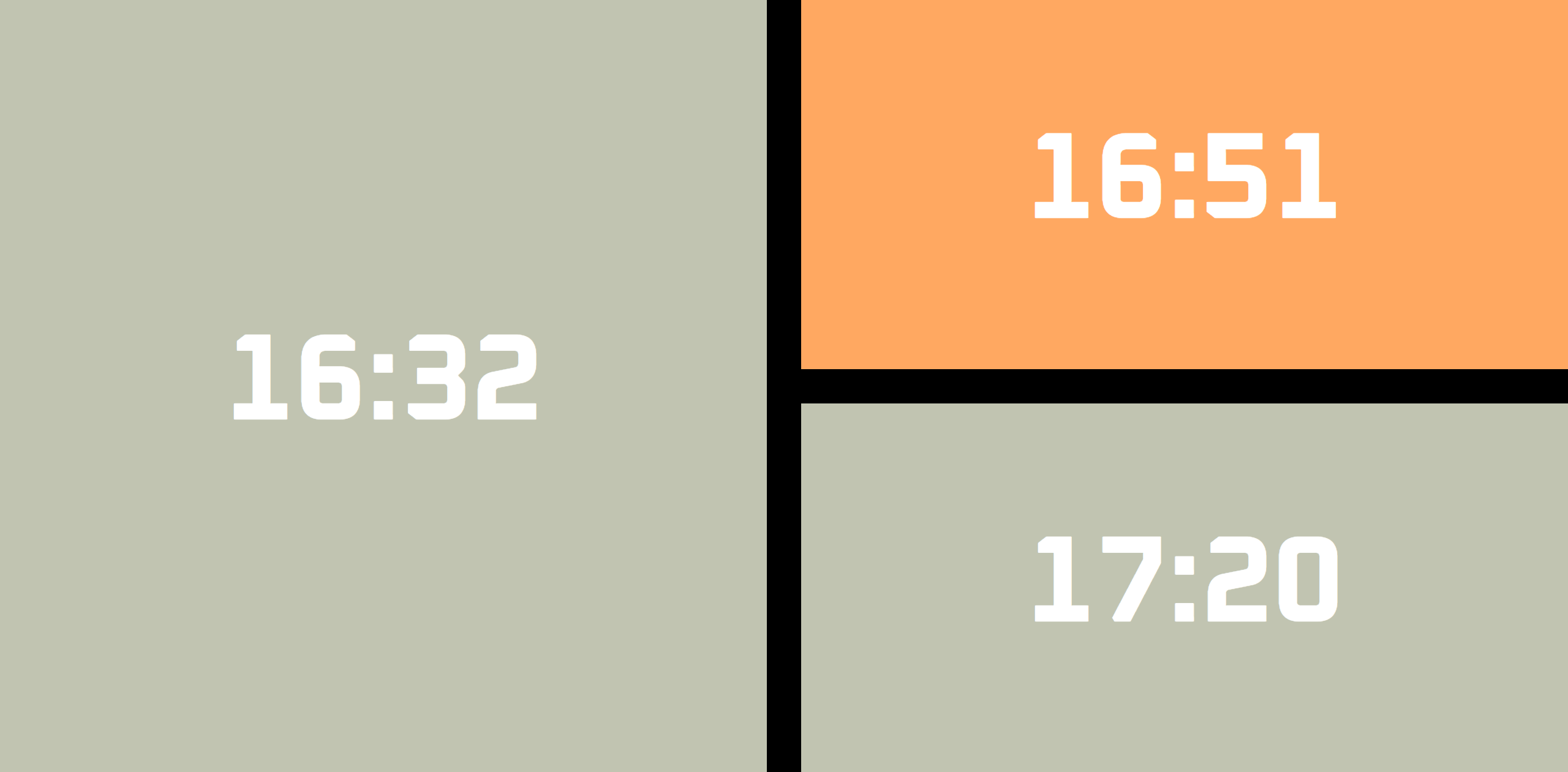
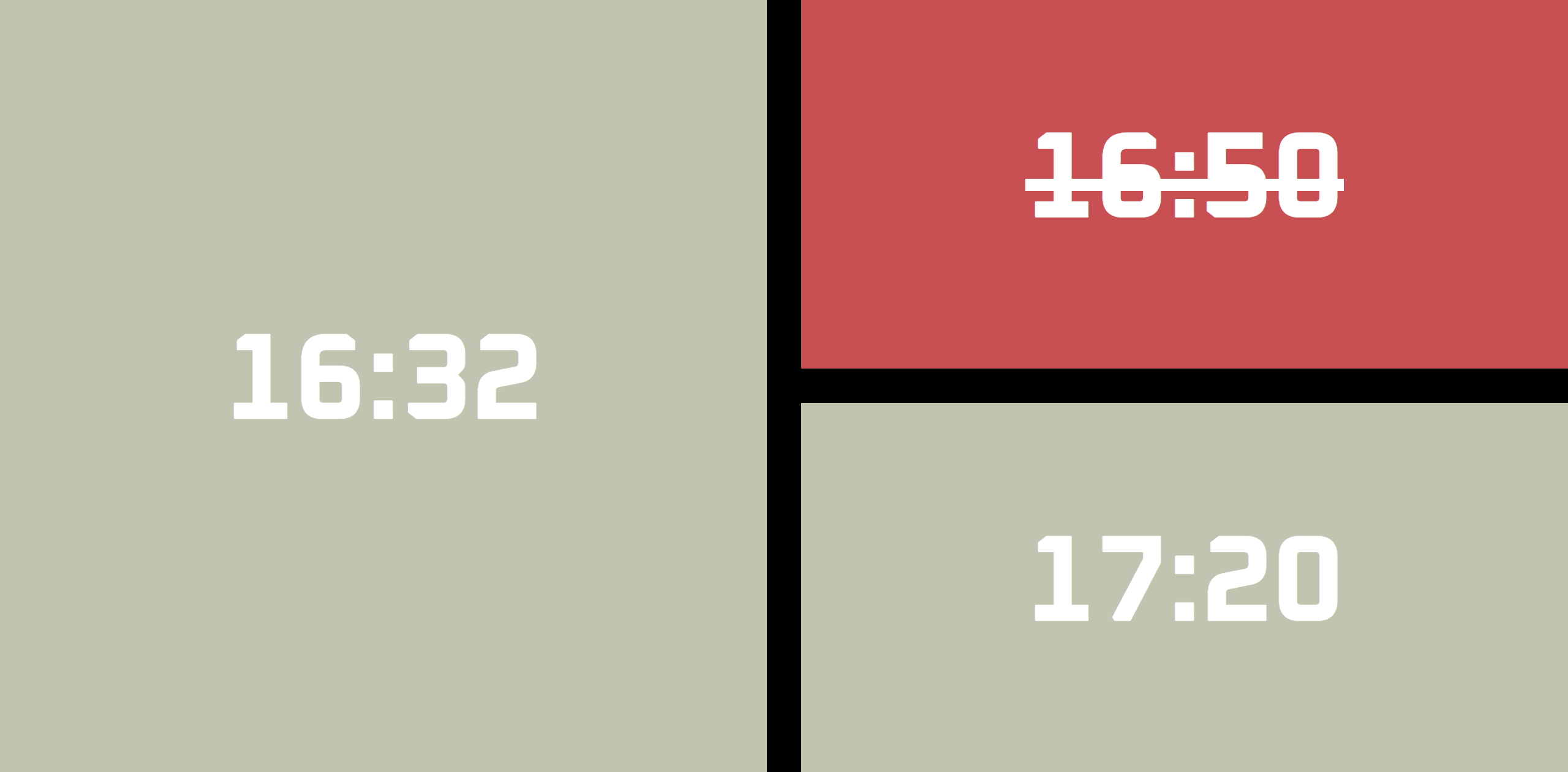
Late running and cancelled trains are indicated by a change in colour to the back panels (orange late; red cancelled).
Font strikethrough emphasises cancellations.
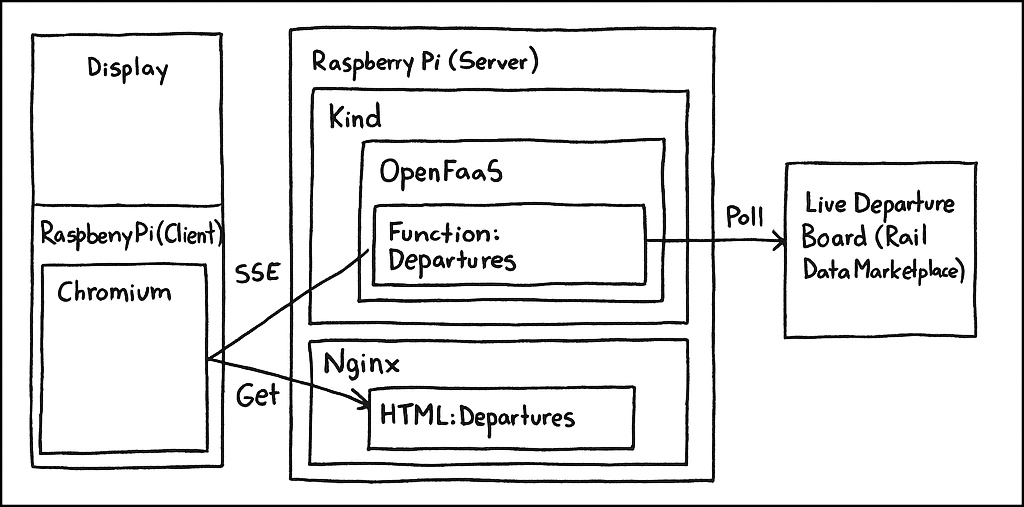
The display itself is a Raspberry Pi Touch Display, with an attached Pi 4, showing an HTML page that uses server-sent events to receive updates from an OpenFaaS function that polls the impressive Live Departure Board API via the Rail Data Marketplace from UK National Rail.
The front-end source is available here and the backend source here.
Architecture
Function
OpenFaaS (‘open source/self-hosted AWS Lambda’) provides an excellent platform for deploying pieces of automated home functionality that are too complex for a cron job, too niche for a home assistant automation or Node-RED flow, but not complex enough for a dedicated service. The departure board was such a piece of functionality, and thus an OpenFaaS function was created to support it. The function was built on an updated FastAPI template to ensure suitable performance in the face of its main function: an infinite loop polling for departure data within each SSE connection. OpenFaaS provides good support for SSE. Kind provides an alternative to full Kubernetes. Everything is hosted on a (second) Raspberry Pi (pictured).
The function returns departure times from customisable source (e.g. nearest to home) and destination (e.g. nearest to work) stations.
Destinations that can be reached via a connecting train are determined by identifying departures from an intermediate station that occur within duration of first leg + n minutes of the initial departure, where n is an acceptable transfer time.
Environment variables control when the API is polled (e.g. during commuting hours), to save endpoint load.
flake8 is used as a linter, mypy is used for type checking and pytest for testing, all wrapped in a tox pipeline. black is used as a formatter.
Front-end
The front-end is served as a static site from an existing NGINX instance on the server. Its primary function is to initiate the SSE connection on load and update the UI depending on the response.
A light green background indicates normal running.
A delayed train is indicated by an orange background, with the new departure time shown.
A delayed train is indicated by a red background and strikethrough.
Returning the clock as a part of the SSE payload ensures any connection issues are evident, although the fact that updates are only sent periodically (every 60 seconds) can result in the clock becoming out of sync.
Linting is provided by html-validate and stylelint, formatting by prettier, and testing by jest (linted by es-lint). Jinja templating is preferred to direct HTML to avoid hardcoding variables.
Hardware
Setup on the Pi itself is minimal; it is flashed with the standard Raspberry Pi OS, plus an autoload script that calls the static page from the server. A cron job disables the display in tandem with the disabled server polling.
A polaroid holder acts as a mount for the display.