Laziness is the first virtue of a programmer, and a cornerstone of that is automating tasks. Automations that take place without a human trigger are particularly satisfying, such as a job that runs by itself overnight and posts the outputs somewhere to be discovered the next day (as exuberantly described in this old blog post).
An initial post gave a snapshot of a home assistant installation. Home Assistant provides the opportunity to be more efficient (i.e. lazy) via automations in a home context, but the scaffolding provided to do this by the platform, while important, limits what can be automated. For this reason, several additional platforms are used for automations and documented here in order of complexity and, accordingly, priority; when choosing how to deploy an automation, simple tools are always considered first, and only moved away from if there is rationale to do so.
It is worth noting that these platforms are not always used in isolation. Instead, they are often combined in use cases such as the film diary, which is also used as a running example below.
All are hosted on a single, at-home Raspberry Pi server.
1. Cron
Cron, the OS-based automation tool, provides the simplest automation option (where simple ≠ less powerful), and is used in the current setup primarily for grabbing and backing up (to Dropbox via the impressive rclone) data that is output from automated processes, such as logged films:
0 0 * * * /usr/bin/wget https://darekkay.com/service/trakt/trakt.php?username=martinchapman -O /tmp/trakt.zip; /usr/bin/rclone sync /tmp/trakt.zip dropbox:/Apps
Signs to move to the next platform: When more than a one-shot job is required.
2. systemd
systemd, or more specifically the daemons it manages as services, provide a increment over cron in respect of the ability to support long-running processes. For example, in the current setup local s3 buckets are provided by rclone’s serve (from Dropbox) feature, the single command for which is run as a systemd unit. Although this example isn’t an automation in and of itself, it can certainly support other automations (e.g. by providing storage).
Signs to move to the next platform: When an automation requires a number of interdependent actions to be executed.
3. Node-RED
Node-RED, a flow-based automation platform (pictured), allows for relatively simple individual actions to be wired together and executed automatically. Although an older solution, this doesn’t make it any less valid today (particularly given such active development), and it is thus the next platform in use.
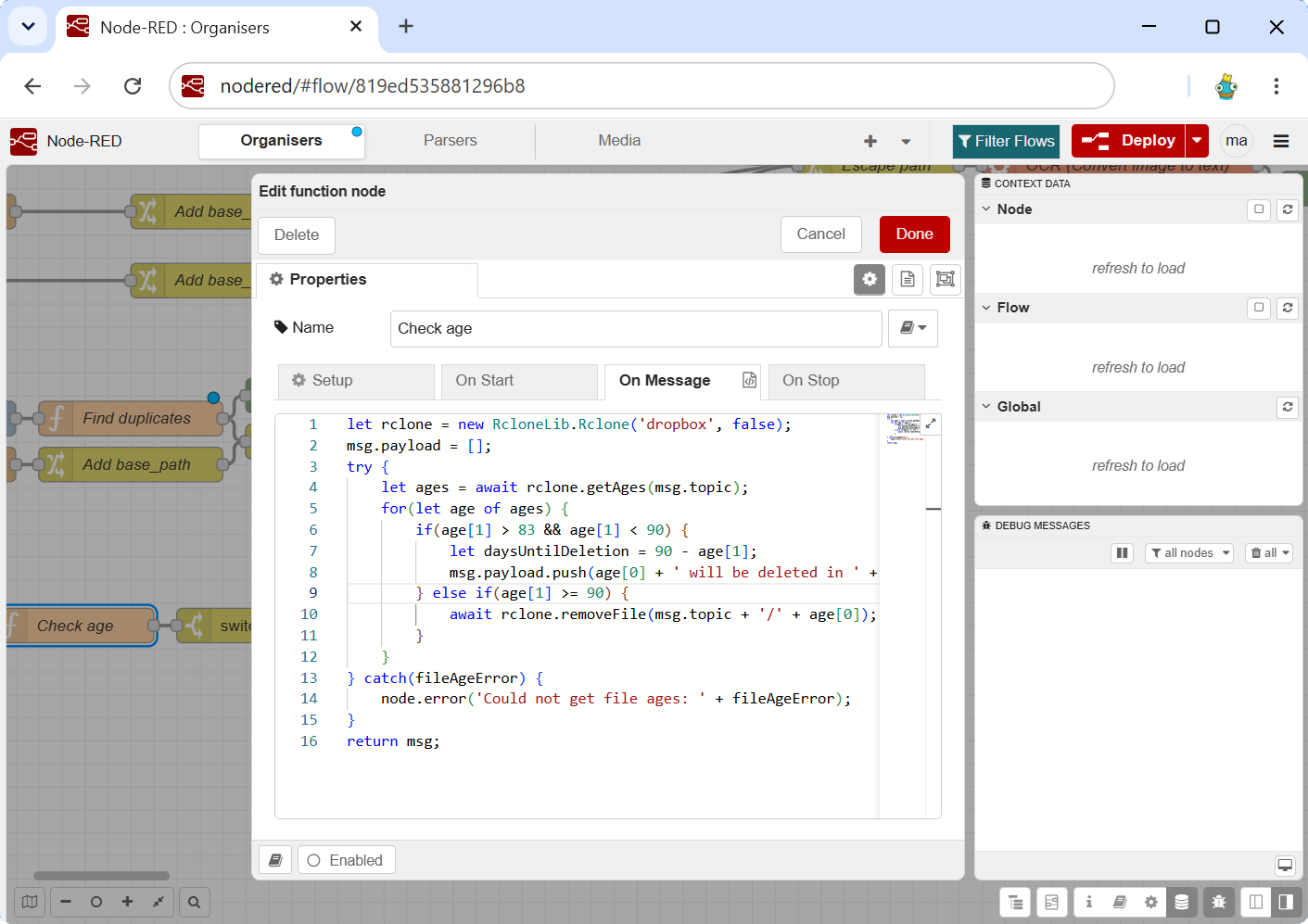
This platform houses ‘Organisers’, such as Dropbox file organisation automations (e.g. distributing documents into date-based folders) and cleanup jobs for stale data; ‘Parsers’ such as receipt parsing and budget notifications, and OCR flows for scanned documents; and ‘Media’, exposed endpoints for media platforms (less automation-focused). As we are (arguably incorrectly) expanding the notion of home automation here to include support for any task that would be undertaken at home, it is worth flagging that Node-RED can, of course, conduct more traditional home automation tasks.
Signs to move to the next platform: When deploying an automation would require a significant number of nodes to be wired together, which would be unwieldy and difficult to maintain, and/or require a small number of nodes to effectively be proxies for larger, external programs, which is bad for maintainability1.
4. Home Assistant
Home Assistant would likely sit here in the hierarchy.
Signs to move to the next platform: When deploying an automation would require a custom integration, or, as before, require calling external tooling as requirements go beyond Home Assistant’s own automation syntax.
5. OpenFasS
It’s trite to praise the simple yet powerful concept of a function, but worth emphasising especially in the context of automation where many use cases call for the input / process / output model. The OpenFaaS platform (self-hosted Lambda) realises this model by enabling functions to be deployed as network-accessible entities that can, consequently, serve as endpoints as a part of larger automations, or be paired with a cron-like scheduler to perform self-contained actions.
Because the focus is on deployable functions rather than scalability in this context, OpenFaaS is deployed on top of Kind, and currently supports the following automations: Film diary (referenced) with Plex scrobble; QuasiTV with collections creation, list creation, watched sync and channel creation; Plex cleanup; and departure display.
Sadly, but understandably, OpenFaaS has mostly transformed into a commercial product, with usability now limited for hobbyists.
Signs to move to the next platform: When state is required.
6. FastAPI / Fastify
The last resort for deploying an automation is the development of a bespoke web server application to house logic. Platforms/frameworks like FastAPI (Python) and Fastify (Javascript/Typescript) are, at the time of writing, two such leading frameworks, and have been employed in the current setup to provide stateful utility services such as a credentials wallet.
-
This rule is broken slightly by leveraging relatively complex, home-grown wrapper libraries around technologies like rclone from within Node-RED, however these still support fairly simple tasks, and are used across different platforms. ↩